Aster BioSlicer is built for manufacturing human tissue
One parametric model drives extrusion and light-based systems alike. Describe a construct in plain language or draw it yourself, then edit any feature, preview every layer, and export to your biofabricator.
Type the construct you want in plain language. BioSlicer resolves it into real geometry: dimensions, infill pattern and density, channel count and placement. Then refine it conversationally and the model rebuilds against the new spec.
Where material is deposited by a nozzle, the toolpath is the design. BioSlicer treats it that way, down to the individual segment.
Advanced path control
Speeds up the design of multi-material and tissue-specific constructs and microarchitectures.
Adaptive channel infill
Route perfusion channels through a construct in any pattern.
Coordinated dual extrusion
Print two materials in one construct, with paths generated adaptively to hit a target deposition ratio.
Graded material transition
Blend two materials gradually across the part.
Multi-material vessels
Build multi-material constructs, a distinct material for each region.
Droplet deposition
Combine deposition modalities with ease, from single droplets to continuous extrusion.
Preset tissue designs
Begin with a preset design and adjust it, not a blank canvas.
Cleaner toolpaths
BioSlicer optimizes the path architecture to lower the risk of print flaws and wasted material.
Parametric architecture
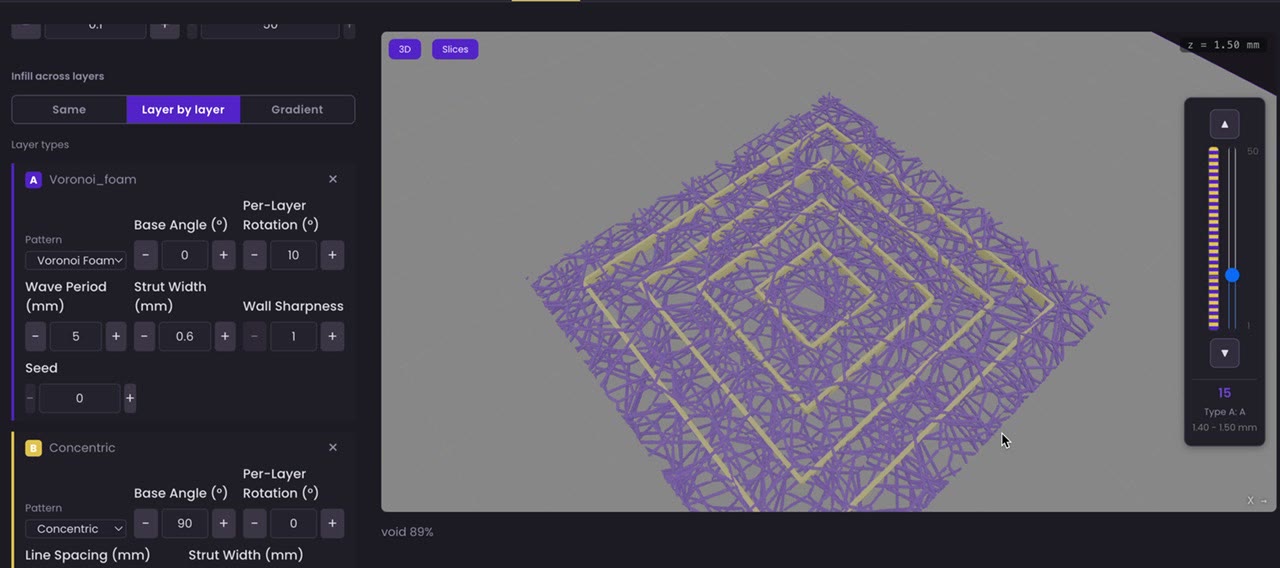
Shells, infills, channel networks, and heterogeneous zones are parametric objects. Specify gyroid, honeycomb, or lattice infills, pore sizes, and gradients directly.
Layer-by-layer preview
See exactly what the printer will do, one layer at a time, before material meets the plate.
Edit without redoing
Right-click any feature to assign an extruder, set its own speed and target diameter, split it, curve it, or convert it to droplets. No round trip through a CAD expert.
Vascular networks, branched parametrically
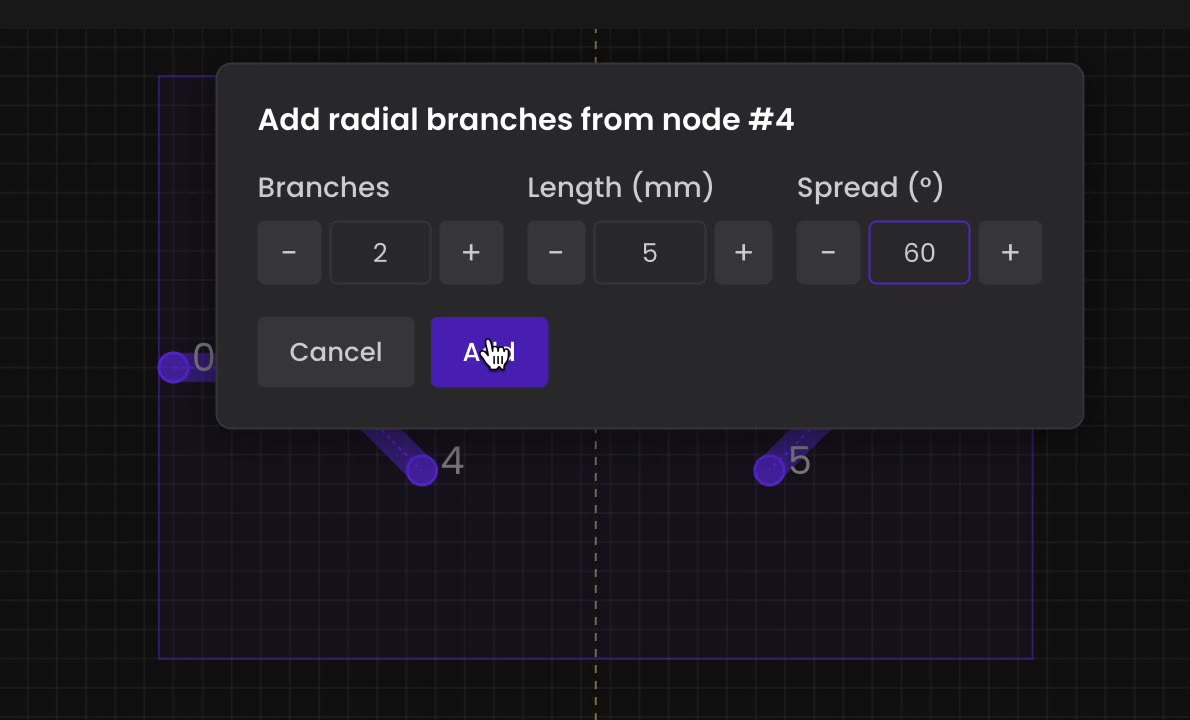
Right-click a node and branch from it. Set the count, the length and the angular spread, and the network resolves with the rest of the construct.
Branch from a node
Two branches, five millimetres, sixty degrees apart. Parameters, not hand-drawn geometry.
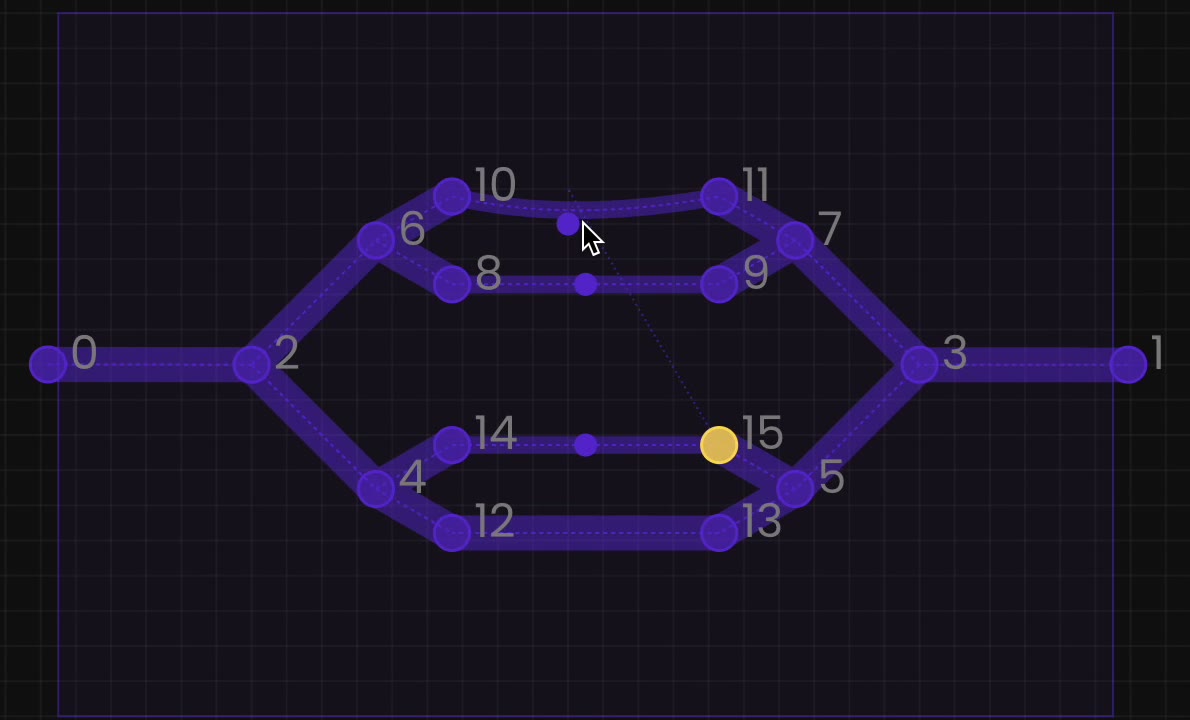
Grown into a network
Repeat it and the network builds up, every node still editable and still parametric.
Patterns assigned layer by layer
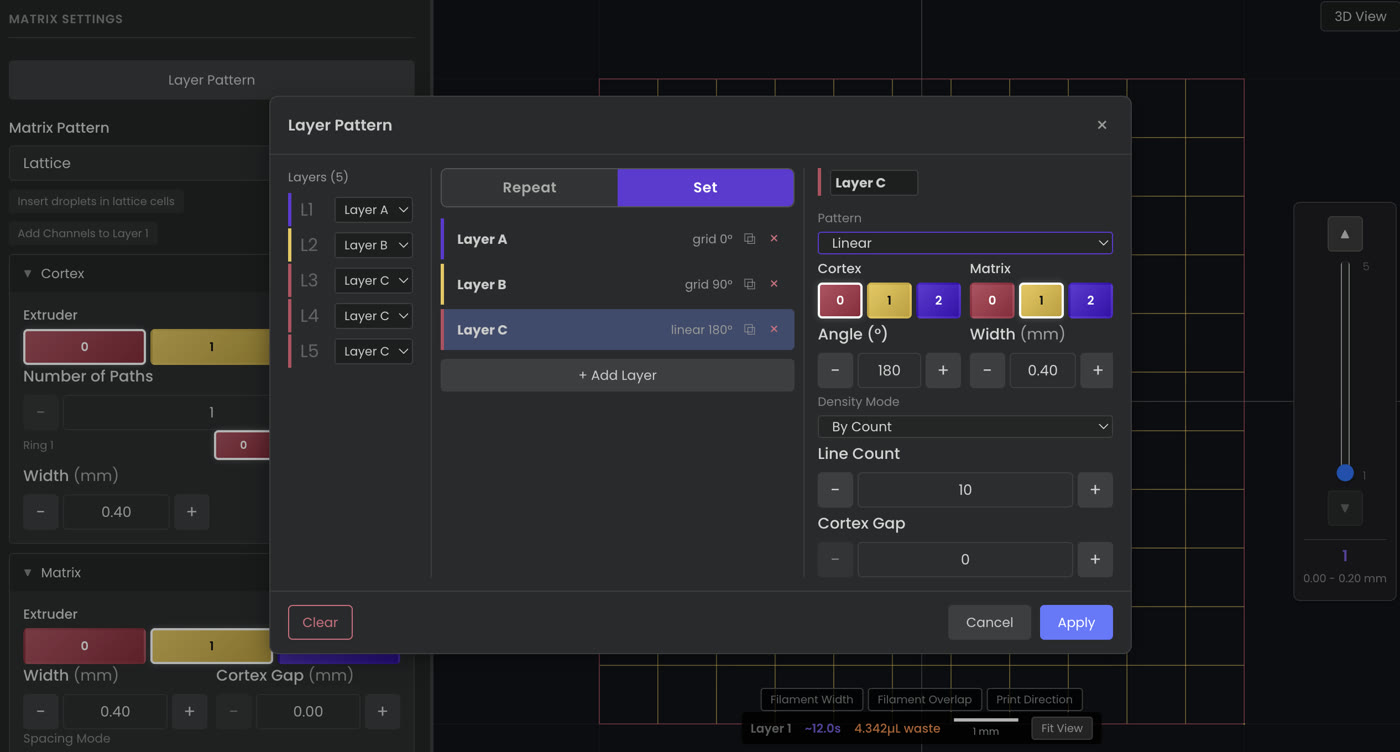
A construct does not have to use one infill throughout. Assign a pattern per layer, then repeat the sequence up the stack.
Five layers, three patterns between them, each with its own angle, width and line count.
The same model, printed with light
Architecture in BioSlicer is parametric, and never locked into a mesh. So one model resolves into a layer-image stack for digital light processing — slice pitch, image resolution, per-layer exposure — and into an extruded scaffold, layer for layer, from the same source.
Layer four is layer four either way. Nothing is re-authored to change modality: you do not rebuild the construct for a different machine, and you do not leave for a CAD package and come back. See every output the model produces →
One model, any biofabricator
BioSlicer works in paths and exposure regions directly, with architecture specified parametrically, the way you actually think about it. Because the design is never locked into a mesh, one canonical model drives any biofabrication technology, so a construct moves cleanly between the platforms and tools you already run.
Light-based
DLP layer stack
A layer-image stack for digital light processing, generated directly from the parametric model, with slice pitch, image resolution and per-layer exposure. How it works →
Extrusion
G-code toolpath
Cell-friendly extrusion toolpaths with adaptive paths and material-aware capacity.
Interoperable
Standard formats
Standard exchange exports, so a construct moves freely between biofabrication modalities and the tools you already use. Hardware agnostic by design. Nothing you run today is left behind.
Put it in your workflow
BioSlicer is available now as the first module of the Capitula platform. Tell us about your work and your hardware, and we will get you set up.